WhatsApp DALL-E integration
Integrate WhatsApp with OpenAI's DALL-E Image Creator
January 26, 2023
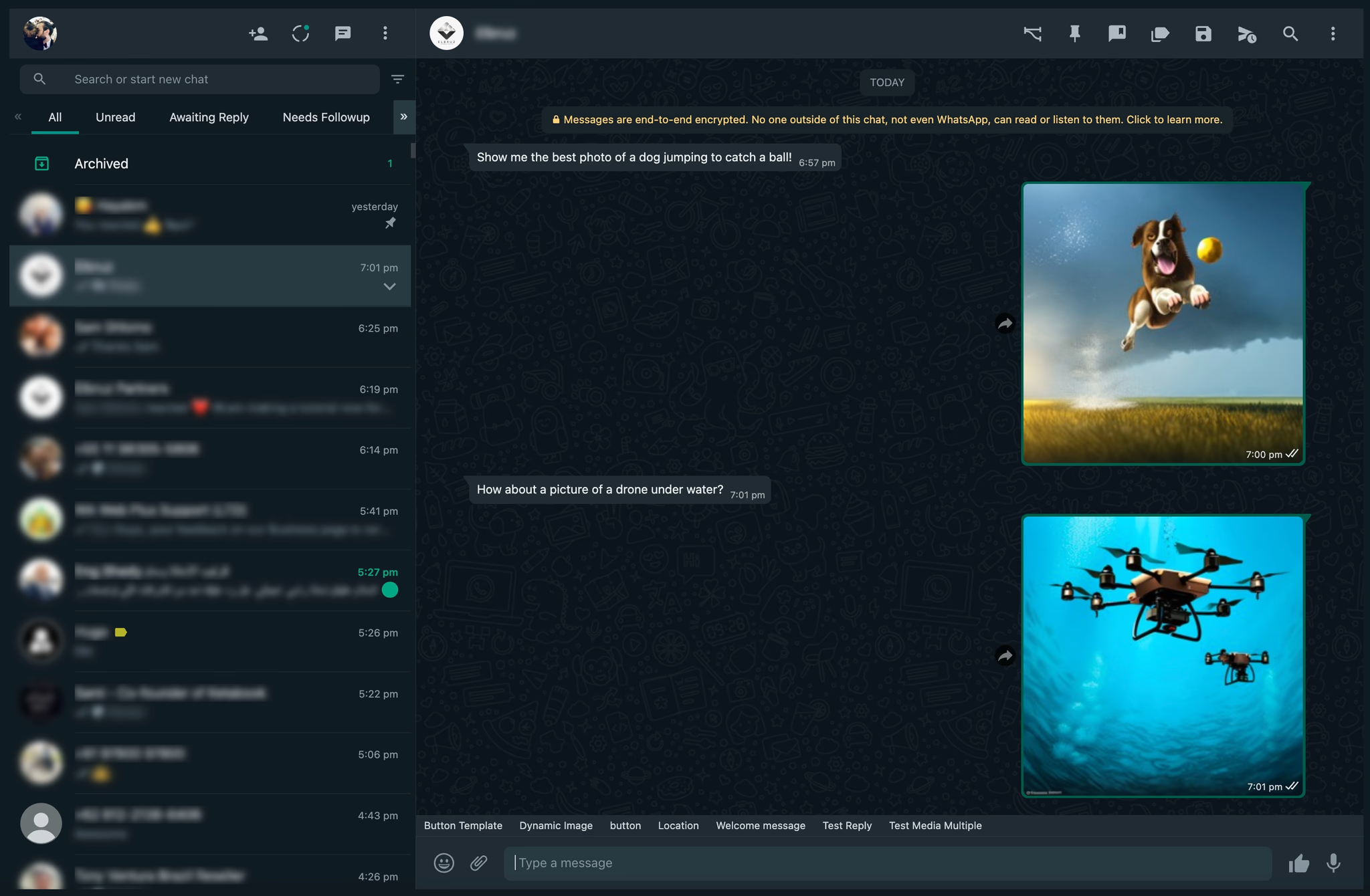
With WhatsApp ToolBox, you can integrate OpenAI’s DALL-E to generate images directly through WhatsApp. This powerful tool transforms user text inputs into creative visuals, enhancing client interactions with unique, on-demand graphics. Follow these simple steps to set up DALL-E on WhatsApp through WA Toolbox’s webhook and workflow systems:
Step 1: Set Up OpenAI’s Account
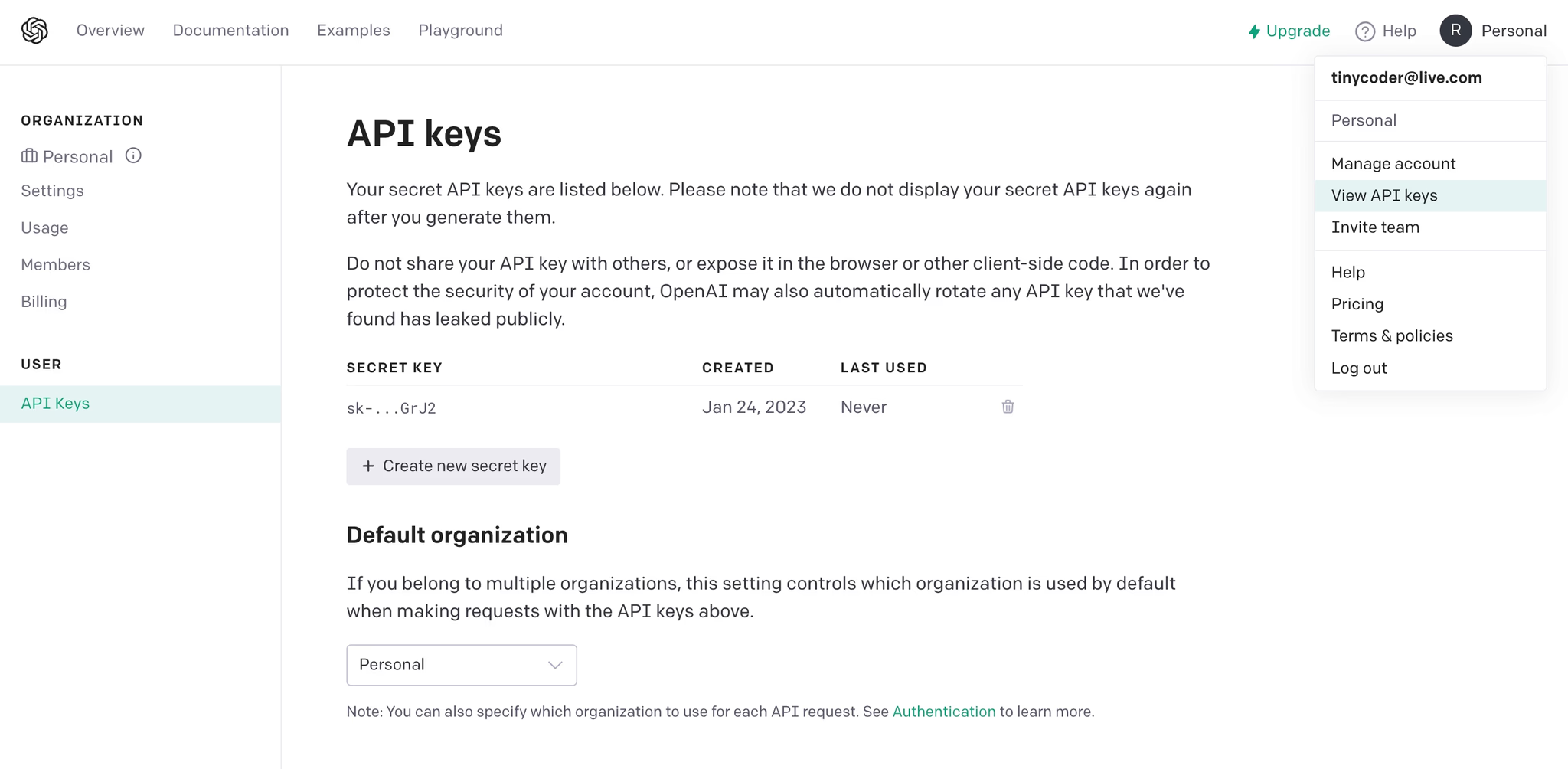
Sign up or log in to your OpenAI API account.
Access the “View API keys” option under your account name and create a new API key.
Save the API key securely, as it will be used for the following steps.
Step 2: Configure the Webhook
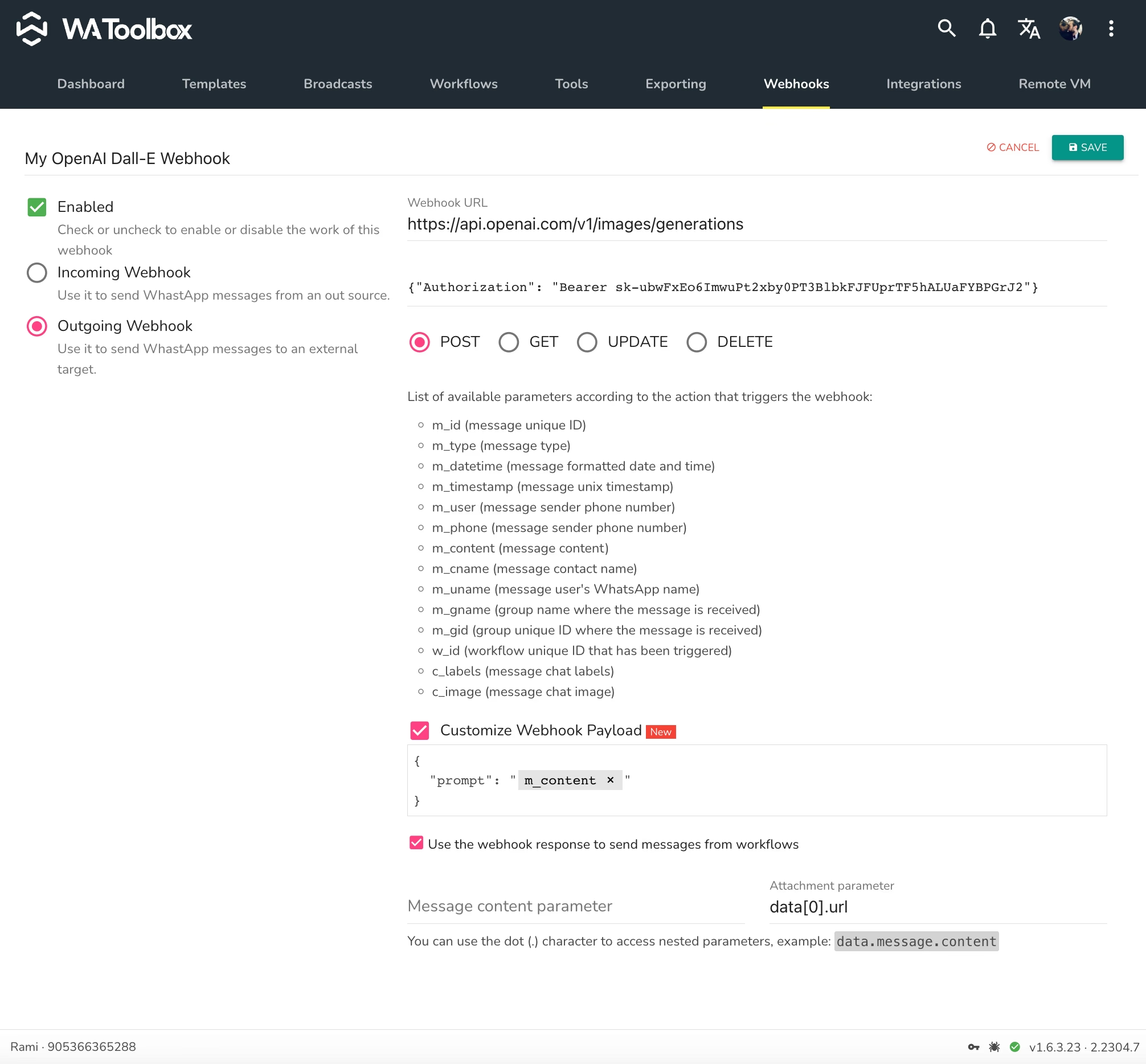
Open WhatsApp Web and access WA Toolbox’s Webhooks tab. Create a new webhook and fill in the following:
Webhook URL: https://api.openai.com/v1/images/generations Webhook Headers: {“Authorization”: “Bearer your-api-key”} (replace your-api-key with the saved API token) Enable Customize Webhook Payload
In the payload area, paste: { “prompt”: “a cat playing in the garden” }
To make the prompt dynamic, replace the sample text with the variable M_CONTENT to capture the sender’s message.
Step 3: Establish the Workflow
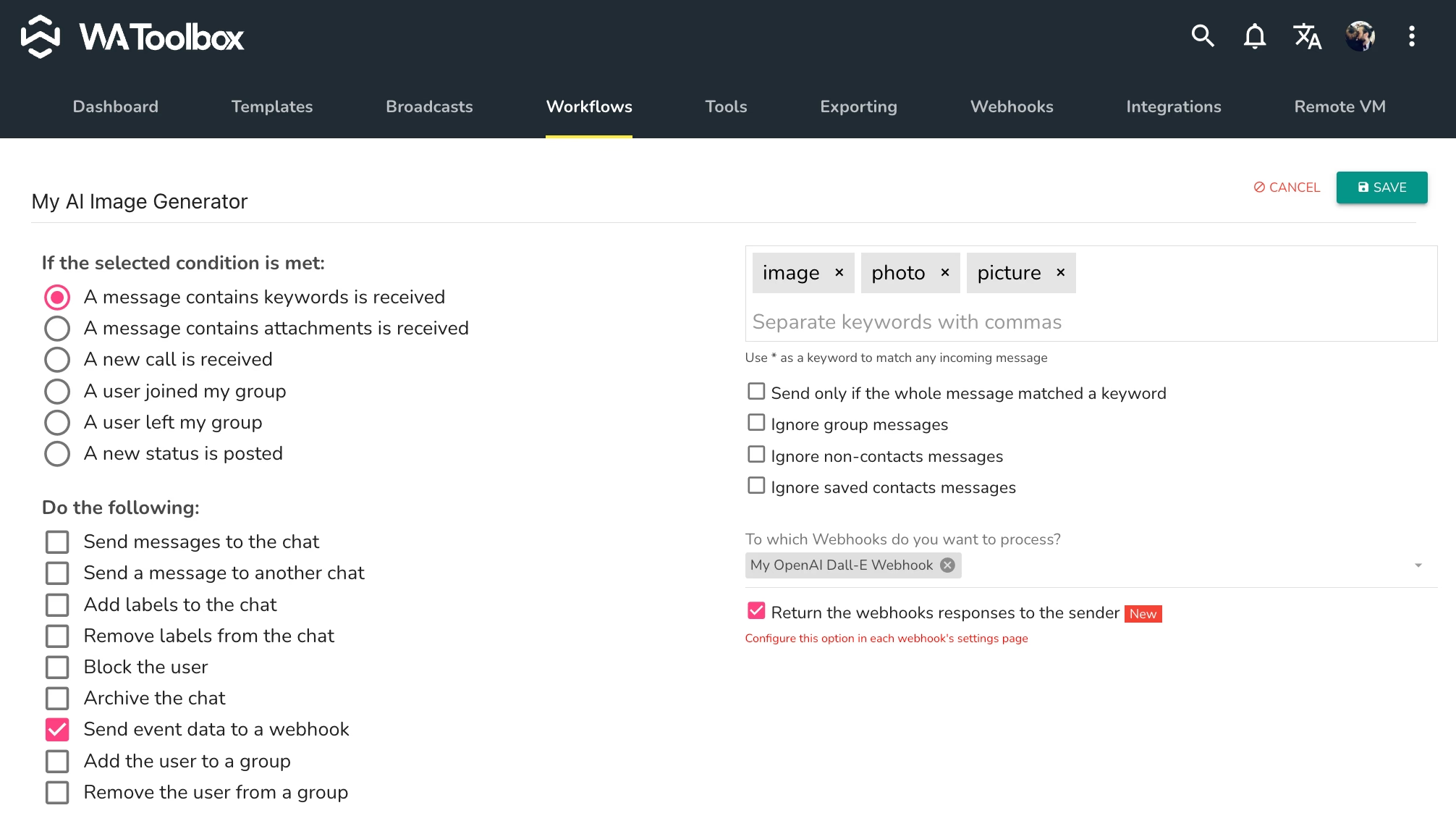
In WA Toolbox, create a workflow that listens for keywords like “image,” “picture,” or “photo.”
Set the workflow to trigger your new webhook and return responses to the sender.