Integrate WhatsApp with ChatGPT
Guides
Integrate WhatsApp with ChatGPT for Enhanced Customer Service
January 26, 2023
Enhance your business’s customer service with ChatGPT integration on WhatsApp. Through WhatsApp ToolBox, companies can quickly automate responses, reduce operational costs, and improve response accuracy with OpenAI’s ChatGPT. Follow these steps to integrate ChatGPT with WhatsApp via WA Toolbox’s workflows and agent settings.
Step 1: OpenAI API Setup
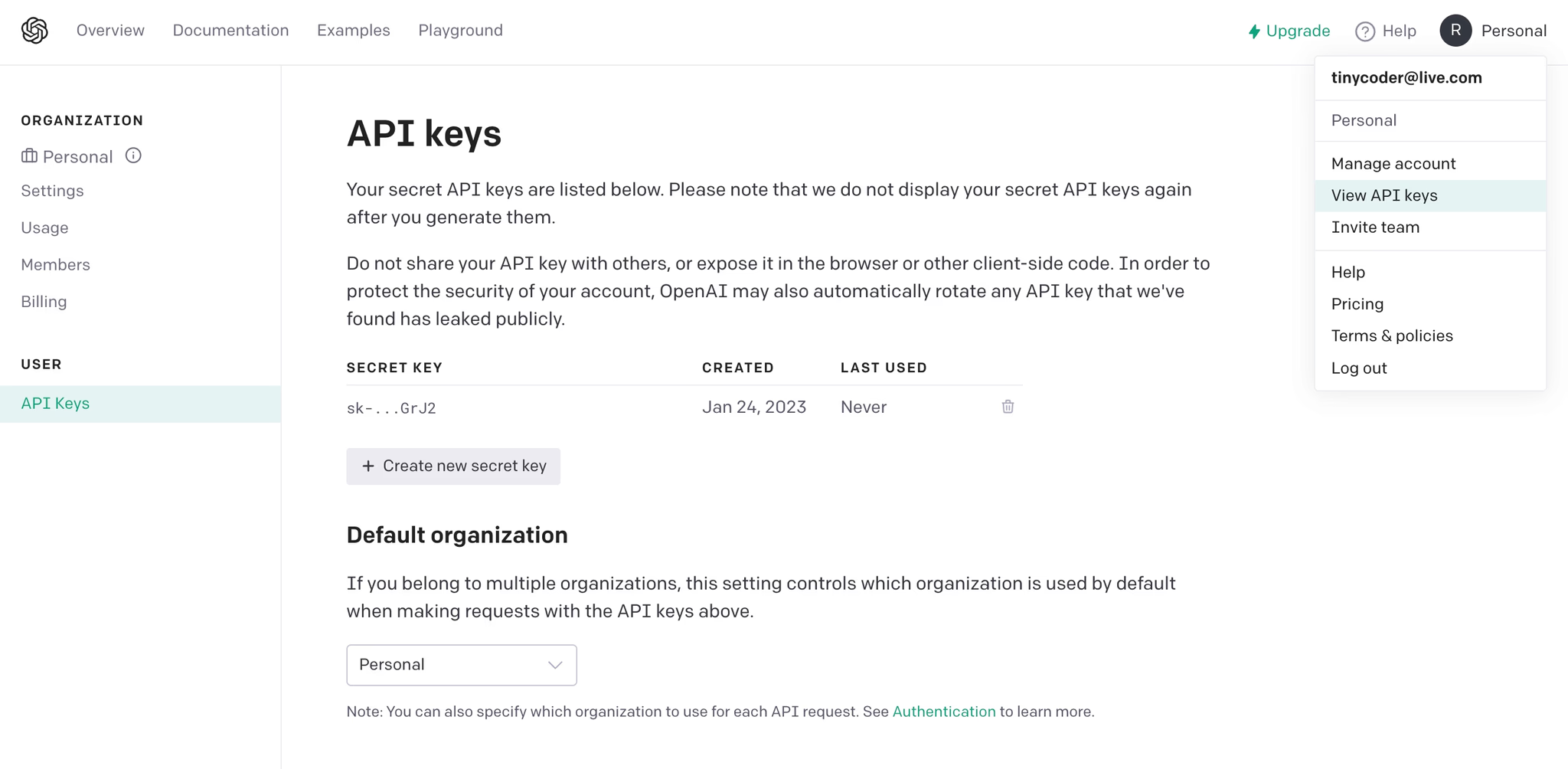
- Sign up or log in to OpenAI’s API dashboard.
- Go to “View API Keys” under your account name, create a new API key, and save it securely for the following steps.
Step 2: Configuring the ChatGPT Agent on WhatsApp
- Open WhatsApp Web, go to WA Toolbox, and open the Integrations tab.
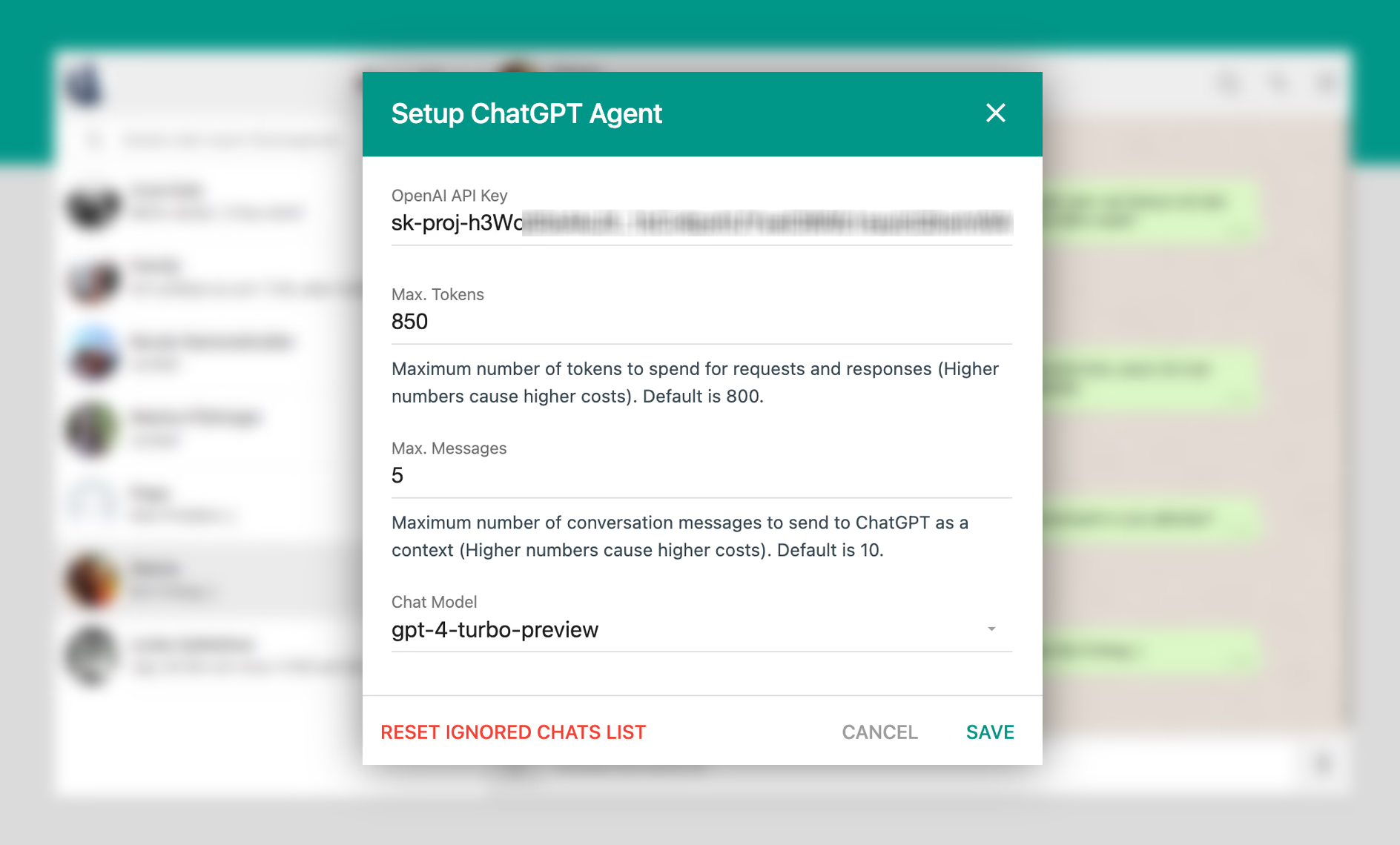
- Click on ChatGPT Settings and enter your API key.
- Customize settings like token limit per response, previous messages to recall, and the preferred AI model.
- Click Save Changes to finalize.
Step 3: Training Your ChatGPT Agent
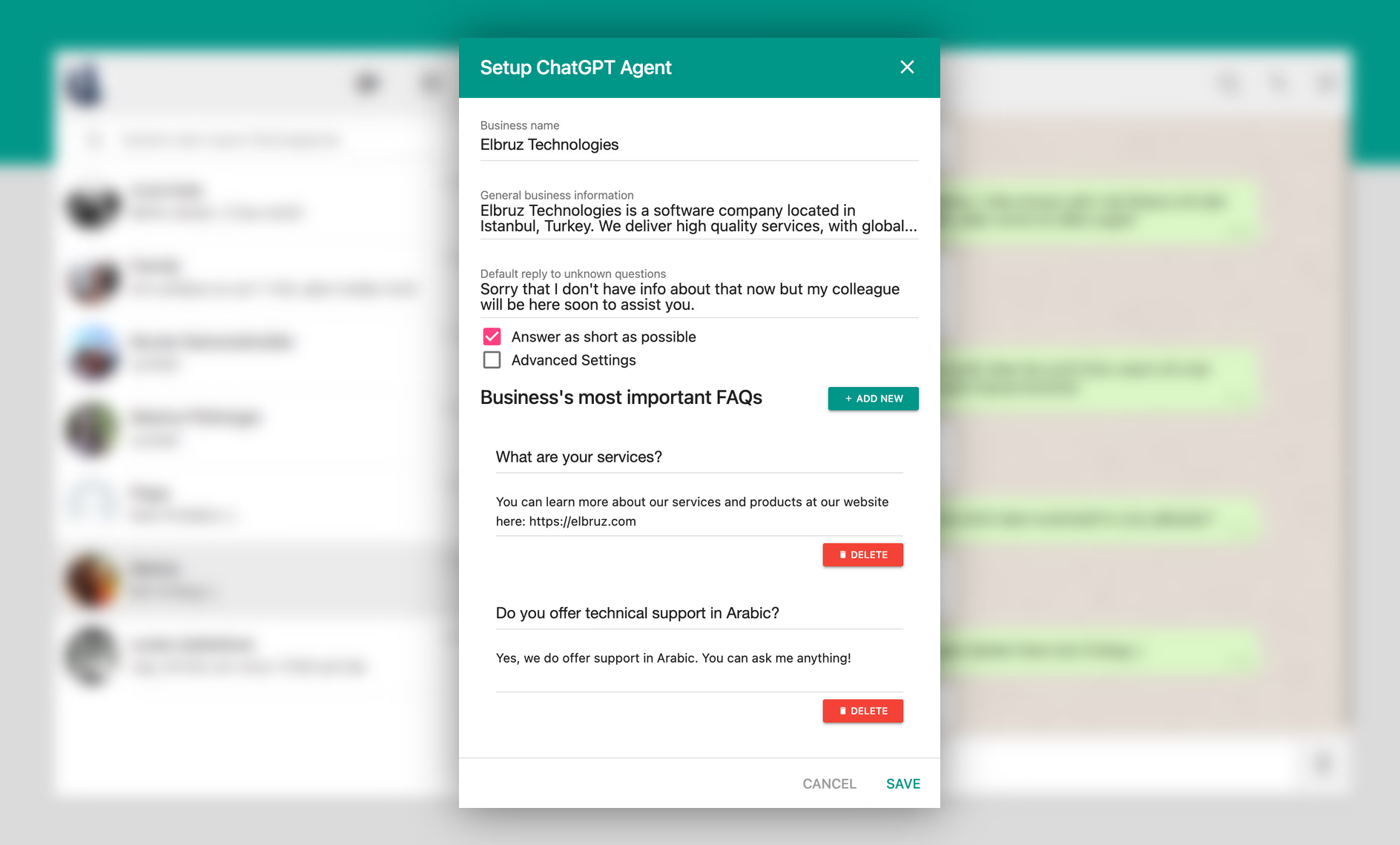
- Access the Training option in ChatGPT’s widget.
- Fill in:
- Business Name to personalize responses.
- General Business Information about your services and offerings.
- Default Reply to Unknown Questions for seamless client interactions.
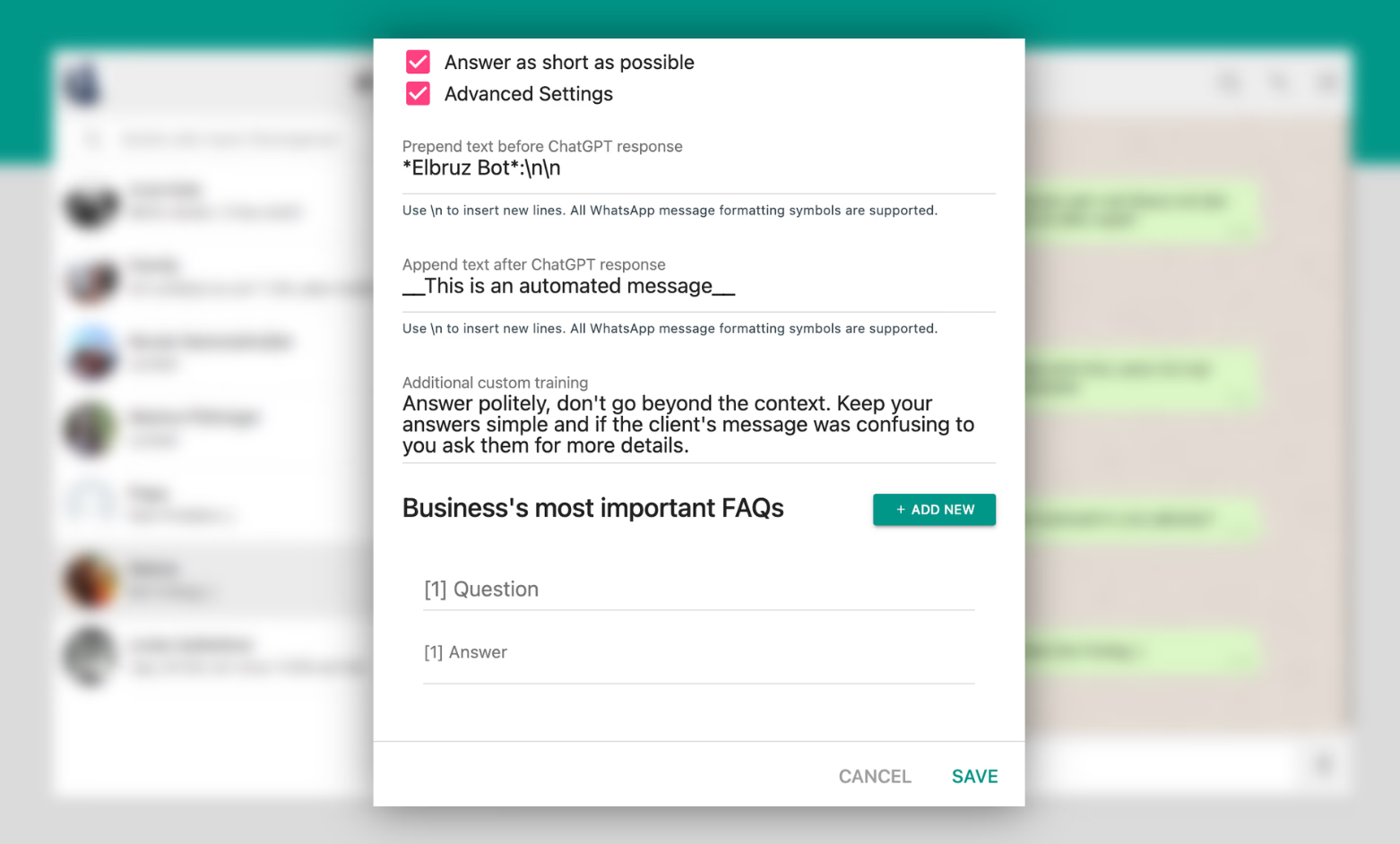
- Concise Responses to ensure brief and focused replies.
- Key FAQs for accurate, relevant responses to common queries.
Step 4: Setting Up the Workflow
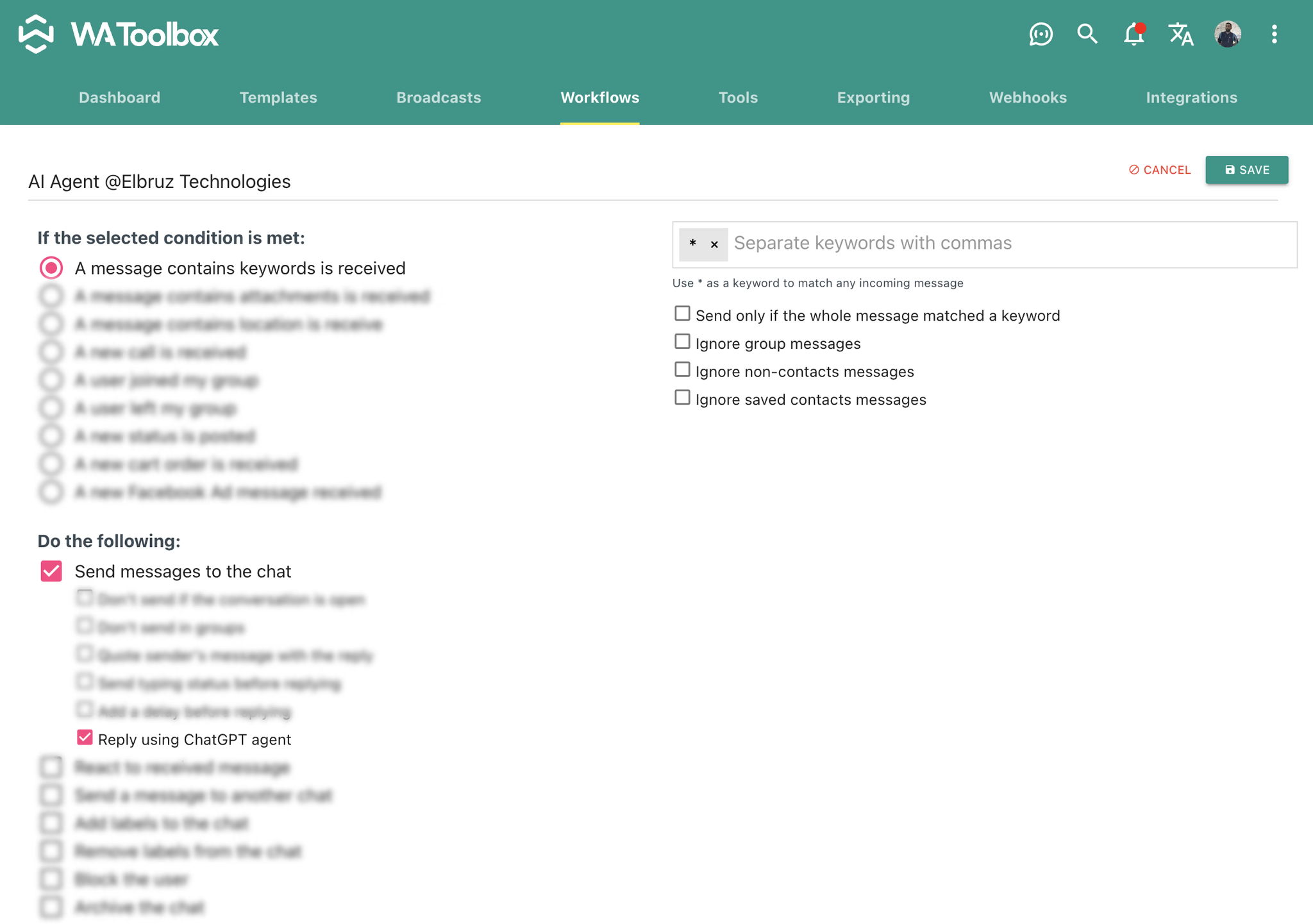
- Create a workflow to listen to incoming messages and activate the ChatGPT agent.
- Use the asterisk (*) symbol to capture any message and enable “Reply using ChatGPT agent.”
Advanced Control Options
WhatsApp ToolBox offers additional customization for ChatGPT responses: